Skip to main content




New Project November: Cardboard Keyboards
Today's New Project November comes from Makey Makey ambassador Bradley Quentin! We love how these keyboards have an EARTH strip so that as students press down each key, a musical note will play! Bravo Mr. Quentin and students!
@Sinclair_ES 4th graders started the day with a jam session playing their @scratch music projects on their @makeymakey keyboards! @HISD_Inst_tech @ELEM1_HISD @HoustonISD #csk8#CreativeComputing pic.twitter.com/PXFJ6utJyl
— bradley quentin (@bquentin3) November 12, 2021
The NEW Makey Makey Piano App
This is a great project for the new Makey Makey Piano App!
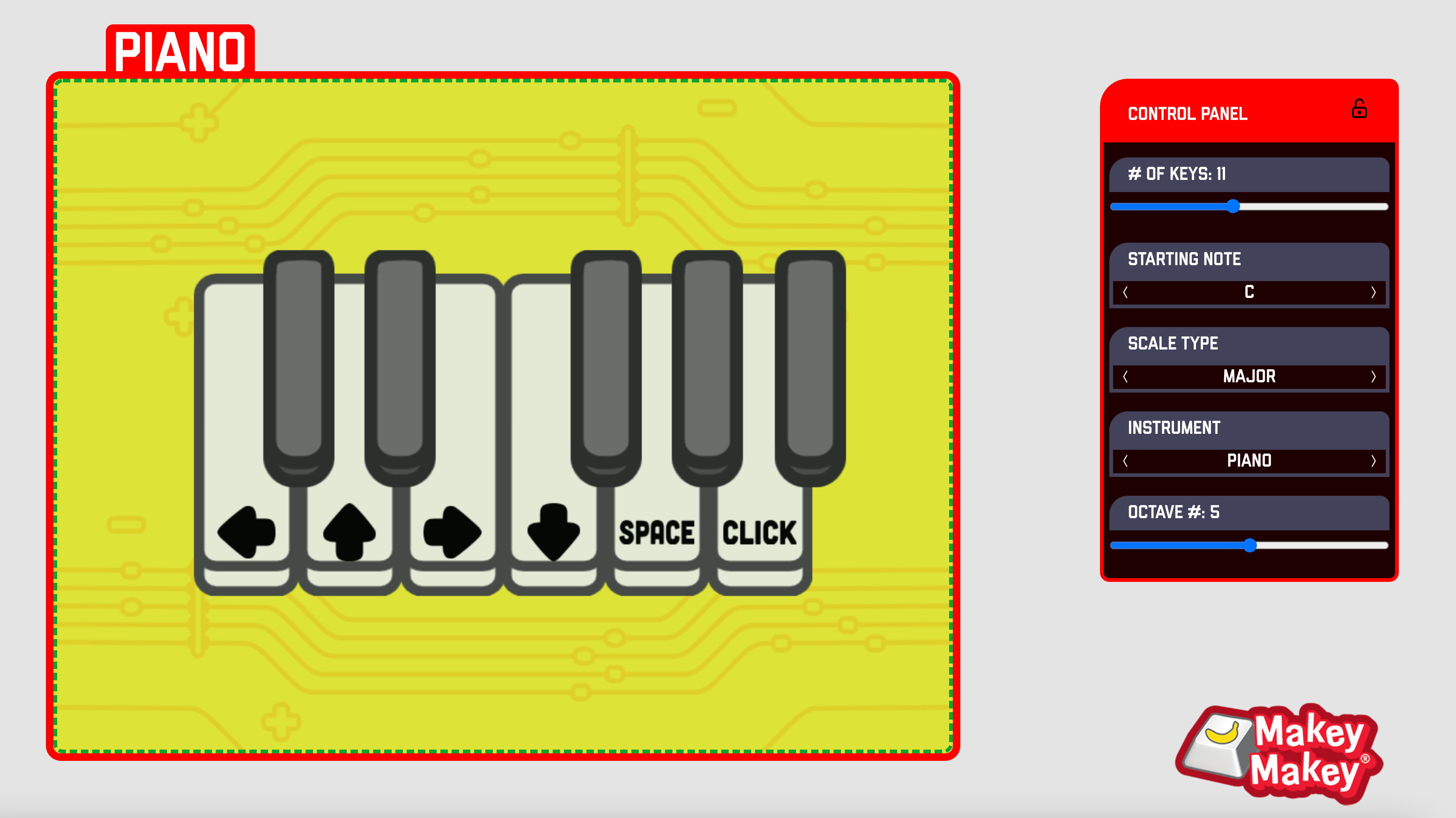
New Piano App Features
- Selectable Instruments : Yes! You can choose from a number of different instruments now instead of just a piano. Why not a trumpet piano? Piccolo?
- Octave Choice : Adjust this slider to pick the octave you want to play music in.
- Number of Piano Keys : Want more keys? Or less? You can change the number of keys on your piano by adjusting this slider.
- Scale and Starting Note : Want to start with a different note? Not a problem!
- Want to use different key presses? Select the piano key and adjust to a different key press in the control panel.

We designed the new Piano App to give you more flexibility when building musical instruments with the Makey Makey. We wanted an app that still works with Makey Makey right out of the box and that inspires you to jam out and to create an entire band of Makey Makey instruments.
We just made designing your own musical instrument even easier!

Project idea: Tilting Piano
 |
Share your ideas on social!
Share your own projects for a chance to be featured on our blog! Make sure to tag our account and use the hashtag #NewProjectNov
- Tik Tok
- Makey Makey Educators Group on Facebook
- Share your own how to guide on Instructables